


Photo Gallery: Album & Vault
4.322.00 Reviews
App Specs
- Version
- 0.0.9
- Updated On
- License
- Free
- Downloads
- 50,000+
- Developer
- Foxxy Studios
- Categories
- Photography
- Platform
- Android
Screenshots
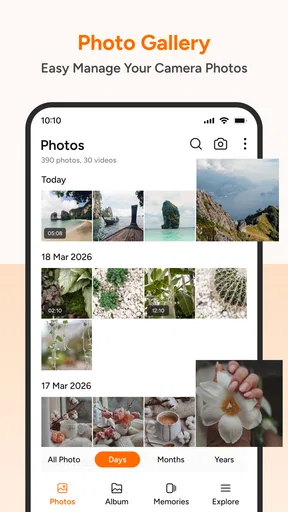
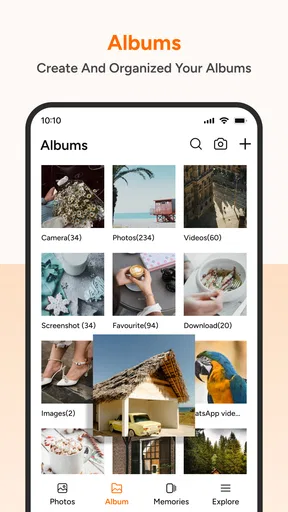
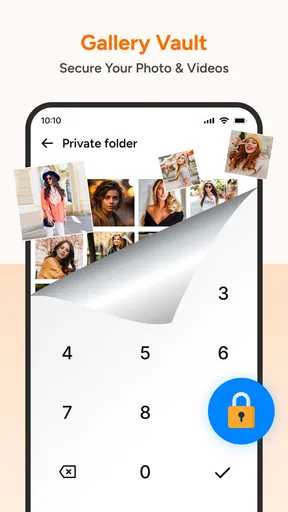
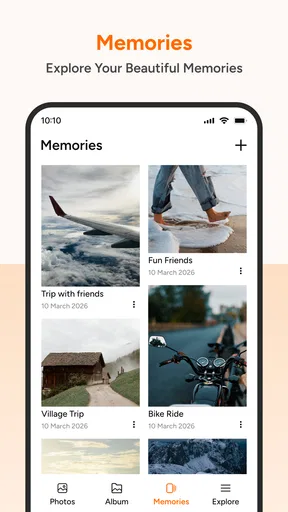
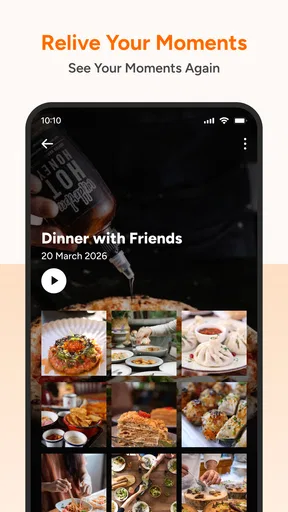
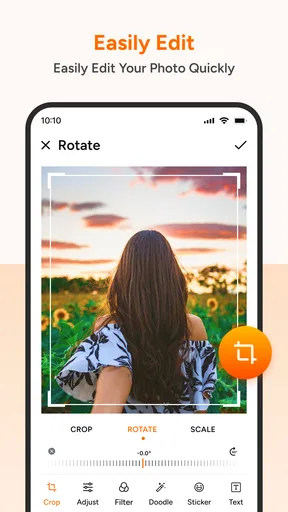
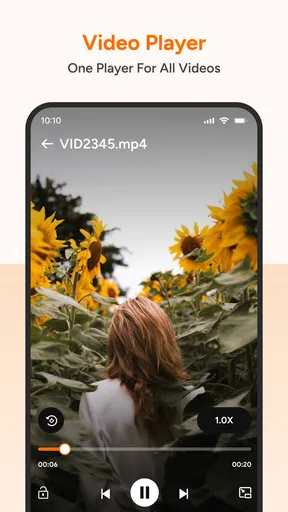
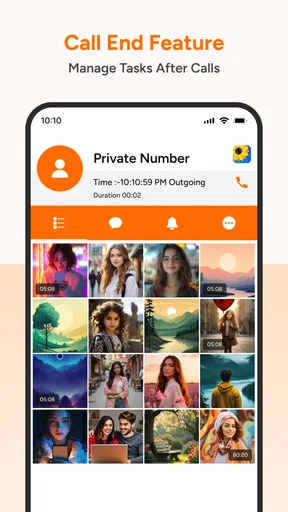
 Analysis by AppCompare
I spent time with Photo Gallery: Album & Vault as a photography app, and my first impression was that it aims to make everyday photo handling feel less scattered. Instead of treating your camera roll as one long stream, it focuses on browsing, arranging, and managing pictures and videos in a cleaner gallery experience. That sounds simple, but it matters when a phone contains screenshots, family photos, downloaded images, short clips, and work material all mixed together.
The app is made by Foxxy Studios and is available for free, with optional purchases shown from $9.99 to $49.99 per item. It is rated for Everyone, so its basic audience is broad. I would describe it as a practical choice for people who want a dedicated gallery rather than a complicated editing suite or a cloud-storage replacement.
Its current version is 0.0.9, and the app has already passed 50 thousand installs with an average rating of 4.3 from around 500 ratings. Those figures suggest that it has attracted a useful early audience, while the relatively new version number also tells me to approach it as a developing product rather than a completely mature photo-management system.
Where the first-use experience can become confusing
The most important thing to understand is that a gallery app sits between your operating system and your personal files. When an image does not appear immediately, many people assume the app has lost it. In practice, the issue may be that the phone has not finished indexing recent media, that the file is stored in an unexpected folder, or that the operating system has not granted the access needed to display it. I would check those possibilities before reinstalling anything.
That distinction is especially important with videos. A gallery can show still images quickly while larger clips take longer to become visible or playable. If a newly recorded video seems absent, I would first open the phone’s original media app and confirm that the file exists there. If it does, closing and reopening the gallery, then waiting briefly for the library to refresh, is a safer first step than deleting the application.
Another common point of friction is the difference between organizing and moving files. Creating an album usually changes how media is grouped for viewing, while moving a file can affect where other apps find it. I would treat any command that sounds destructive or permanent with care, particularly when managing the only copy of an important photo. Before making a large change, I would test the workflow on a few unimportant images.
The word “Vault” in the app’s name may also shape expectations. I would not assume that a private area automatically replaces a full backup strategy. A hidden or protected view can be useful for keeping certain items away from casual browsing, but it should not be treated as a second copy of the files. For irreplaceable pictures, I would keep an independent backup through the storage method I already trust.
Worth Reading Before You Choose

Flipboard Shows What News Apps Must Do Beyond the Feed

Switching to Android Auto Means Rethinking Your Driving Routine

Google Calendar Makes a Crowded Week Easier to Manage

Ludo King Makes the Most of the Minutes Between Plans

Baby Panda World Brings Quick Play to Modern Phones, but Its Game Library Feels Busy

ESPN’s Live Game View Makes Following Close Games Easier
This is one of the app’s practical trade-offs. A focused gallery can feel calmer than a large, all-purpose photo service, but it may not offer the same depth of synchronization, search intelligence, editing, or recovery tools that users expect from established cloud platforms. I like the simpler direction, although it means the app works best alongside a backup habit rather than instead of one.
What I would check before deciding that something is broken
My first check would be the phone’s operating-system compatibility. The app requires OS version 11 or newer, so I would confirm that the device meets that requirement before spending time troubleshooting installation or unstable behavior. If the phone is supported, I would then make sure there is enough free storage for normal gallery activity, especially if the library contains many videos.
I would also check whether the missing media is actually stored locally. Images viewed through another service may be thumbnails, cached previews, or files held in a separate account rather than ordinary device media. A dedicated gallery cannot be expected to display content that is not available to it as local media. This is a useful distinction for anyone moving from a cloud-first photo service.
When testing the app, I would begin with a small, representative group: a recent camera photo, a screenshot, a downloaded image, and a short video. That small sample can reveal whether the problem affects one folder or the entire library. It also avoids turning a simple setup check into a long wait while the app processes every item on the phone.
For a new installation, I would allow the first library scan to finish before judging the organization tools. Opening several screens repeatedly during that first pass can make the experience feel inconsistent, even when the files are still being catalogued. My preferred approach is to leave the app open for a little while, return to the main gallery, and see whether the same sample items appear consistently.
I would pay attention to the difference between an empty album and an empty gallery. An empty album may simply mean that media has not been assigned to it yet. An empty main view is more likely to point toward compatibility, access, storage location, or indexing. Making that distinction saves time and prevents accidental attempts to import or delete files unnecessarily.
A safer way to build an everyday photo workflow
I found the most sensible way to use this kind of app is to organize in stages. First, I would use the main gallery to identify what is worth keeping. Next, I would separate broad groups, such as family pictures, receipts, travel images, or project material. Only after that would I create more specific albums. Starting with dozens of tiny categories usually creates another form of clutter.
A realistic example is a weekend trip. On the first evening, I might have camera photos, screenshots of directions, restaurant pictures, and several short videos. Rather than sorting every item immediately, I would first gather the useful material into one broad trip group. Later, I could remove duplicates and divide the best images from reference screenshots. This two-pass method is quicker and reduces the chance of filing something in the wrong place.
For work, I would use a similar approach with a temporary album for documents or product photos. Once the task is finished, I would review that album and decide what belongs in long-term storage. The benefit is not only visual neatness; it makes it easier to find the small set of files needed for sharing without scrolling through unrelated personal media.
One non-obvious advantage of a dedicated gallery is that it encourages deliberate browsing. When a phone’s default photo service is heavily centered on automatic memories, online suggestions, or a broad timeline, a straightforward gallery can be better for people who already know what they want to find. The trade-off is that you may need to do more of the classification yourself.
I would also avoid using album names that depend on temporary details. A label such as “Important” becomes vague quickly, while “2025 tax receipts” or “Kitchen renovation measurements” remains useful. The app’s value grows when the organization reflects how you actually retrieve files, not merely how you happened to collect them.
Recovering when an album or file seems to disappear
If an album appears empty after I have added media, I would first return to the main gallery and check whether the original files are still visible. If they are, I would review the album action and repeat it with one test image. This helps distinguish a selection mistake from a broader library issue. I would not immediately repeat the operation on hundreds of files.
If a photo vanishes after an organization action, I would pause further changes and look for it through the phone’s original file or photo view. The goal is to establish whether the item was hidden from the gallery, moved to another location, or actually removed. That simple check is more reliable than relying on memory of where the file was previously displayed.
For videos that refuse to open, I would compare the behavior in this app with the phone’s built-in viewer. If the clip also fails there, the problem is probably related to the file or the device rather than the gallery interface. If it plays elsewhere but not here, I would close the app, reopen it, and test another video before concluding that the entire video library is affected.
Reinstalling should be a last resort, not a routine fix. Any app that manages personal media deserves caution because local organization and private content can be affected by removal or reset. I would only consider reinstalling after checking that important files are safely backed up and after simpler steps, such as restarting the app and the phone, have failed.
There is also a useful habit for avoiding future confusion: after a large organization session, open a few albums and verify representative files before continuing. This takes little time and creates a clear checkpoint. If something goes wrong, I know which recent action to investigate instead of trying to reconstruct an entire afternoon of changes.
When the gallery is not the actual cause
It is easy to blame the app when the underlying issue is a phone-wide problem. Low storage can affect camera saving, thumbnail generation, and video playback at the same time. A device that is close to capacity may make a gallery appear unreliable even though the application is only reporting what the operating system can currently provide.
Operating-system behavior can also change how media is exposed to apps. If the phone recently updated, moved files, or changed its handling of photos, I would test the same items in another gallery or file browser. Consistent failure across multiple apps points away from this particular product.
File format and file integrity matter as well. A damaged download, an incomplete transfer, or a video encoded in a way the phone struggles with can produce symptoms that look like a gallery defect. Testing several unrelated files is the quickest way I know to separate a single-file problem from a library-wide problem.
Cloud accounts create another source of confusion. A picture may be visible in an online service but not downloaded to the device. If I need it inside a local gallery, I would first make sure it is available on the phone itself. This is one reason I would not compare a local-focused gallery directly with a cloud photo service as though they perform exactly the same job.
Finally, I would remember that a free app with optional purchases may have different expectations from a subscription-based platform. The listed purchase range runs from $9.99 to $49.99 per item, so I would review what an optional purchase unlocks before paying and decide whether those additions solve a real problem in my workflow. I would not pay simply because an album is difficult to organize; I would first determine whether the difficulty comes from setup, storage, or the operating system.
Who should use it and who should choose something else
I think this app is a good fit for someone who wants a more intentional way to browse local photos and videos, especially if the phone’s standard gallery feels busy or poorly arranged. It also suits people who prefer to create their own categories instead of relying entirely on automatic sorting. The Everyone rating makes it approachable for a wide range of users, although every user should still handle private media and deletion tools carefully.
It may be useful for families sharing a device, students managing visual project material, or anyone who regularly needs to locate a particular group of images without searching through a long timeline. The strongest benefit is practical: a clear gallery can reduce the time spent hunting for files when the user is willing to maintain a simple structure.
I would look elsewhere if my main need were automatic cloud backup, sophisticated image editing, advanced facial or location search, or seamless access across many devices. A large cloud platform is usually the better choice for those priorities. Likewise, professional photographers who need detailed metadata handling, batch processing, or dependable archival controls should compare specialist tools rather than assuming a general gallery will cover those requirements.
I would also skip it if I rarely organize media and already feel comfortable with the phone’s built-in gallery. Installing another viewer adds another place to learn and another interface to maintain. The app makes sense when its organization style solves a specific annoyance, not merely because having an extra gallery sounds useful.
My practical verdict after using the app
Photo Gallery: Album & Vault has a clear everyday purpose: make personal photos and videos easier to browse and arrange. I appreciate that focus, and I can see the appeal for users who want a calmer alternative to a crowded camera roll. Its free entry point makes it easy to test without committing money immediately, while the optional purchases mean I would inspect the upgrade screen carefully before deciding whether the added value matches my habits.
My main advice is to approach it methodically. Confirm that the phone meets the OS requirement, test a few different media types, allow the library time to settle, and make small organizational changes before handling the full collection. Keep independent backups of anything important, and do not interpret a missing item as proof that it has been deleted until you check the original phone storage or another trusted viewer.
In my view, the app is most convincing as a hands-on organizer rather than an all-in-one photography platform. Foxxy Studios has created something that can be useful when the problem is visual clutter and weak album habits. It is less compelling when the real requirement is online backup, professional media management, or automatic discovery. The best reason to install it is simple: you want more control over how your own gallery is arranged.
With a 4.3 average and more than 50 thousand installs, it is attracting enough interest to deserve a fair trial, while its early version status encourages realistic expectations. I would recommend trying it with a small collection first. If its browsing and album workflow feels natural on your device, it can become a convenient daily gallery; if you need deeper automation or stronger archival features, your phone’s established cloud or specialist photo tools will probably be the better match.
Pros
- Clean interface makes browsing photos quick and straightforward.
- Supports private albums for keeping selected images separate.
- Useful search and sorting tools help locate photos faster.
- Photo organization works well for managing large personal libraries.
- Vault access adds an extra privacy layer for sensitive media.
Cons
- Some privacy features may require a premium upgrade.
- Ad interruptions can reduce convenience in the free version.
- Advanced editing tools are limited compared with dedicated editors.
- App performance may vary with very large photo collections.
- Forgotten vault credentials could make recovery difficult.
FAQs for Photo Gallery: Album & Vault
What is Photo Gallery: Album & Vault used for?
Photo Gallery: Album & Vault is designed to help you organize, browse, and protect photos and videos on your mobile device. It typically combines a traditional gallery with tools for creating albums, viewing media by date or folder, and placing private files in a protected vault. It can be useful if your phone’s default gallery feels limited or you want a more organized way to manage personal media.
Does Photo Gallery: Album & Vault protect private photos and videos?
The app includes a vault-style feature intended for hiding sensitive photos and videos from the regular gallery view. Depending on the version and device, access may be protected with a PIN, password, pattern, or biometric authentication. However, users should not treat the vault as a complete backup or encryption solution. Review the app’s permission and security details, and keep separate backups of important files.
What permissions does Photo Gallery: Album & Vault require?
A gallery application generally needs access to photos and videos so it can display, sort, move, or organize your media. It may also request permission for notifications, storage management, or biometric authentication if those features are available. Before accepting, check the permission screen carefully and grant only what is necessary. Android and iOS may present these requests differently depending on the operating-system version.
Can I use Photo Gallery: Album & Vault without an internet connection?
Basic gallery functions, such as viewing media already stored on your device, creating albums, and browsing folders, can usually work offline. Internet access may still be required for advertisements, analytics, cloud-related features, updates, or links to external services. If privacy is a priority, inspect the app’s settings and your device’s network permissions. Offline availability can also vary between versions and operating systems.
Will moving photos to the vault delete them from my phone?
Moving a photo or video into a private vault may remove it from the standard gallery and place it in the app’s protected storage, but the exact behavior depends on the app version and device. Before moving large numbers of files, test the process with a copy and confirm where the media is stored. Avoid uninstalling the app or clearing its data unless you have safely exported your private files first.


